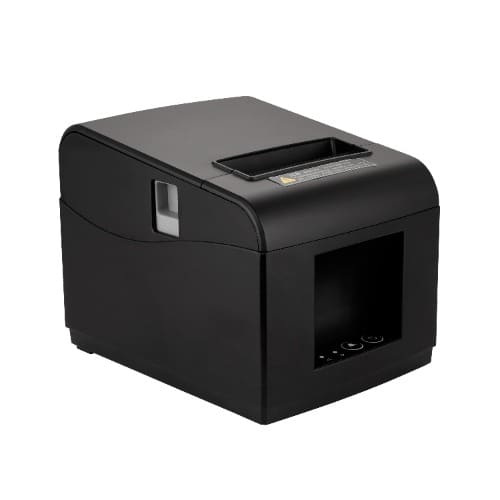
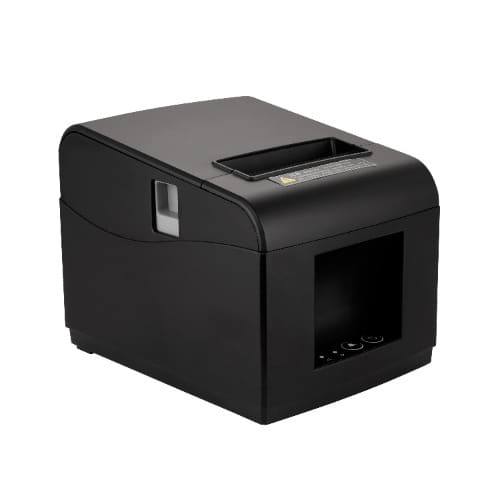
The Xprinter 80mm M804 (often listed as M804L) is a widely used in retail stores, restaurants, sports betting shops, and hospitality businesses. Because it utilizes direct thermal technology, it requires no ink, toner, or ribbons—it prints using heat on specialized thermal paper rolls.
Core Specifications
- Printing Technology: Direct thermal line printing.
- Paper Width: 80 mm standard roll size (72 mm effective print width).
- Printing Speed: 200 mm/s to 230 mm/s for rapid checkout.
- Resolution: 203 DPI for clear, legible text and barcodes.
- Auto-Cutter: Built-in full or semi-automatic paper cutter.
- Connectivity Options: Varied configurations including USB, Bluetooth LAN (Ethernet – for Cash Drawer)
- Compatibility: Works seamlessly with Windows, Linux, and major Point-of-Sale (POS) software.
Quick Operations Guide
Driver Installation
- Connect the printer to your PC via USB and plug it into a power source.
- Download the official Xprinter 80mm driver package (often available via your POS provider or ).
- Run the installer setup file.
- Select the 80mm / Cut Series driver option during setup to ensure the automatic paper cutter operates correctly.
- Complete the installation wizard and print a test page.
Performing a Self-Test
If you need to verify the printer's hardware, print configurations, or connection status:
- Turn off the printer's power switch.
- Press and hold the FEED button on the front panel.
- While continuing to hold FEED, turn the power switch back on.
- Keep holding the FEED button for 2 to 5 seconds until it starts feeding, then release it.
- The printer will automatically print out a diagnostic self-test sheet detailing its current firmware, speed, and settings
Here is exactly what comes inside the box:
- Xprinter M804 Printer: The main 80mm thermal POS receipt printer unit.
- Power Adapter & Cable: A 24V/2.5A external DC power brick alongside its AC wall plug cable.
- USB Interface Cable: Used to connect the printer directly to your PC, POS terminal, or laptop.
- Starter Thermal Paper Roll: One small 80mm sample test roll to verify the printer works out of the box.
- Driver CD / Software Disk: Contains the necessary setup software, utility tools, and Windows/Linux drivers.
User Manual: A basic instruction guide outlining ports, error lights, and hardware setup.
Warranty information unavailable for this item.